

The intersection of temporal coordination and financial analysis represents a critical, yet often overlooked, dimension of professional trading. As global markets transition into an era of hyper-liquidity and millisecond-level execution, the ability of a market participant to align their cognitive environment with the mechanical reality of exchange operations becomes paramount. For traders operating on the West Coast of North America, the transition to Pacific Standard Time (PST) is not merely an aesthetic preference but a functional requirement for maintaining high-level situational awareness. The cognitive friction produced by translating Eastern Standard Time (EST) or Coordinated Universal Time (UTC) into local time during periods of extreme volatility can lead to execution errors, missed entries, and a general degradation of risk management protocols. TradingView, as the preeminent platform for browser-based and desktop charting, provides a sophisticated but complex architecture for managing these temporal offsets. To achieve a state of easy read ability, a trader must master the platform’s multi-layered approach to time management, which spans from visual axis adjustments in the Supercharts interface to the underlying logic of Pine Script and API integration.1
The evolution of time standardization in financial markets has its roots in the expansion of the telegraph and the subsequent synchronization of railroad schedules, which necessitated the move from local “solar time” to standardized time zones. In the modern digital landscape, this has evolved into the widespread adoption of UTC as the primary reference for electronic communication networks and cryptocurrency exchanges.3 However, traditional equity markets remain tethered to the geographic reality of their primary data centers, typically located in the New York metropolitan area for major U.S. exchanges like the NYSE and Nasdaq.4 For the professional trader in Los Angeles, Seattle, or Vancouver, the daily rhythm is shifted three hours earlier than the “opening bell” narrative that dominates mainstream financial media. This temporal shift requires a charting environment that eliminates the need for mental arithmetic, allowing for a seamless transition from thought to execution.
The Architecture of the Supercharts Interface: Calibrating the Visual Axis
The primary entry point for establishing a local temporal framework is the TradingView Supercharts interface, a platform designed to provide institutional-grade precision within a user-friendly browser environment. The process of how to make TradingView time PST is integrated into the core settings, yet the platform provides several redundant pathways to ensure that users can calibrate their view regardless of their current workflow. The most comprehensive method involves navigating the Chart Settings dialog, which acts as the central nervous system for visual customization.5
A practitioner begins by locating the gear icon situated on the upper toolbar or, alternatively, by right-clicking anywhere on the chart canvas to select the settings option.1 Within the resulting menu, the “Symbol” tab contains the fundamental data modification parameters. It is here that the timezone setting resides, nestled among options for session types and price formatting.5 By selecting the dropdown menu for Timezone, a user is presented with the IANA (Internet Assigned Numbers Authority) database of global regions. Typing “PST” or “Los Angeles” into the search bar provides immediate access to the Pacific Time settings, which automatically manage the transition between Pacific Standard Time and Pacific Daylight Time (PDT) based on current legislation.1
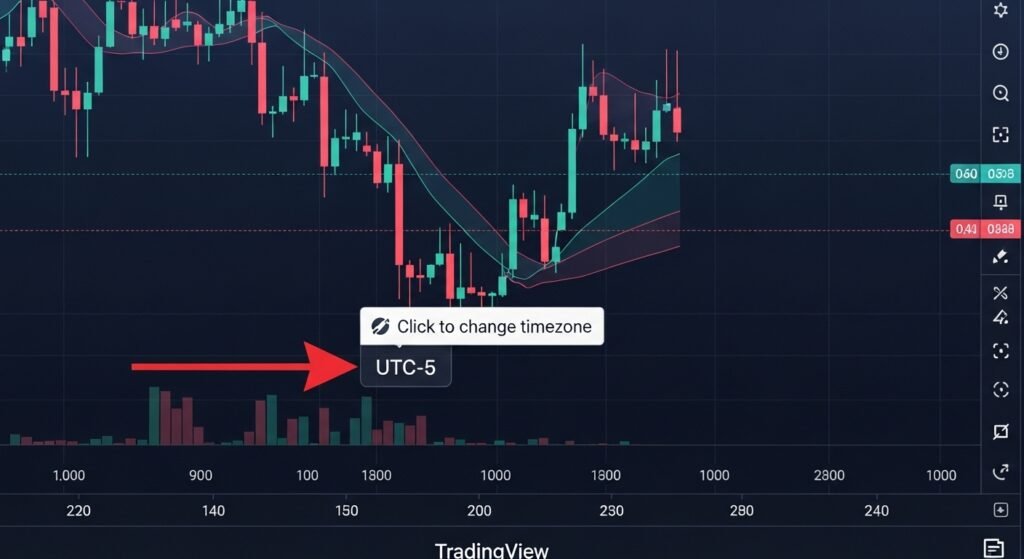
For more agile adjustments, particularly during active trading sessions, the platform integrates a timezone selector directly into the bottom-right corner of the charting area, adjacent to the price scale.6 This quick-access feature allows a trader to toggle between “Exchange” time—the native time of the asset’s home market—and their local time with a single click. This dual-layered visibility is essential for traders who manage international portfolios, as it allows them to respect the closing times of the New York, London, or Tokyo sessions while maintaining their own daily schedule in PST.3
| Platform Interface | Primary Access Method | Secondary Access Method | Automated Features |
| Web Browser | Gear Icon (Top Right) | Right-Click Canvas > Settings | DST Auto-Switching |
| Desktop App | Top Navigation Menu | Bottom-Right Time Display | Layout Sync across Devices |
| Mobile (iOS/Android) | Settings Icon (Bottom Right) | “Chart Settings” Menu | OS-Level Time Matching |
| Widget/API | Constructor Overrides | applyOverrides Method | IANA Identifier Mapping |
The visual synchronization achieved through these settings is fundamentally a re-rendering of the x-axis. While the underlying data points—the timestamps of individual ticks and candles—remain immutable in UTC or exchange time, the platform applies a translation layer that shifts the labels for the benefit of the user.9 This distinction is critical: changing the timezone does not alter the historical sequence of price action; it merely aligns the visual representation with the trader’s reality. This alignment is the cornerstone of easy read ability, as it ensures that indicators, drawings, and candlestick patterns are interpreted within the correct chronological context.1
Temporal Dynamics of U.S. Markets: The Pacific Coast Rhythm
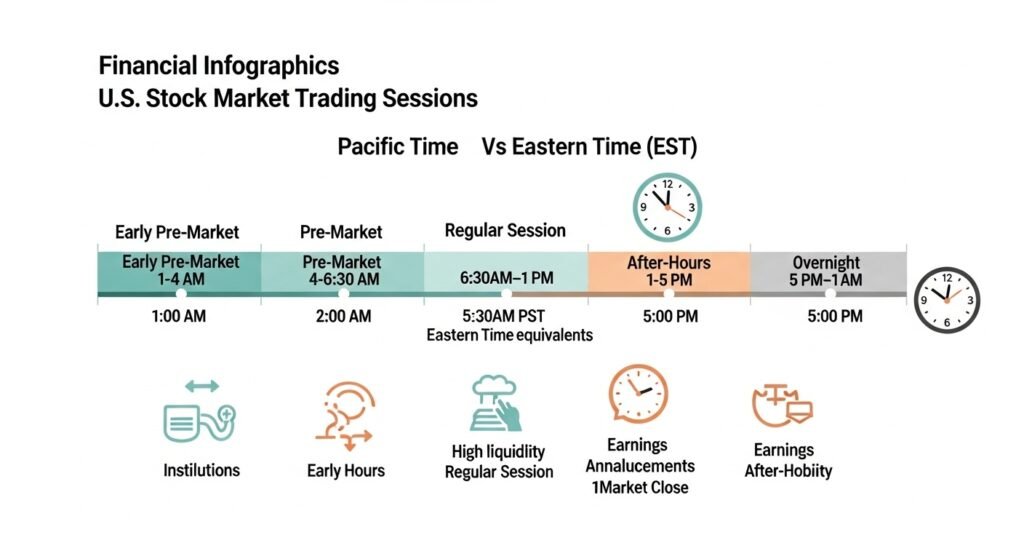
Understanding the specific schedule of the major North American exchanges within the PST framework is a prerequisite for professional competence. The traditional “9:30 AM to 4:00 PM” window of the New York session is transformed into an early morning operation for West Coast participants. This shift significantly alters the preparation cycle, as macroeconomic data releases from the Department of Labor or the Federal Reserve, typically occurring at 8:30 AM EST, hit the Pacific Coast at 5:30 AM PST.4
The regular trading session for U.S. equities on TradingView, when set to PST, opens at 6:30 AM and concludes at 1:00 PM.12 However, the modern market participant rarely limits themselves to the regular session. The accessibility of extended hours trading has expanded the functional day to nearly 16 hours for many participants, incorporating both the pre-market and after-hours sessions.
| Session Category | Eastern Time (ET) | Pacific Time (PT) | Trading Environment Characteristics |
| Early Pre-Market | 4:00 AM – 7:00 AM | 1:00 AM – 4:00 AM | Minimal liquidity; dominated by institutional algorithms. |
| Standard Pre-Market | 7:00 AM – 9:30 AM | 4:00 AM – 6:30 AM | Increasing volume; reaction to overnight news. |
| Regular Session | 9:30 AM – 4:00 PM | 6:30 AM – 1:00 PM | Peak liquidity; primary session for most participants. |
| After-Hours | 4:00 PM – 8:00 PM | 1:00 PM – 5:00 PM | Volatility driven by earnings reports; lower liquidity. |
| Overnight Session | 8:00 PM – 4:00 AM | 5:00 PM – 1:00 AM | Limited to specific assets (ETFs); thin order books. |
The “After-Hours” session is of particular importance to West Coast traders, as the 1:00 PM PST close is immediately followed by a wave of corporate earnings releases. For a trader using PST, the standard “post-market” reaction window occurs during the early afternoon, allowing for a post-trade review or active participation in earnings volatility before the day’s end at 5:00 PM PST.4 This schedule requires a meticulous configuration of “Extended Hours” in the TradingView settings to ensure that the pre- and post-market candles are visible on intraday timeframes, further enhancing the platform’s easy read ability by providing a complete picture of the asset’s price discovery process.5
Technical Integration: API and Widget Implementation for Developers
For institutional developers and financial publishers who utilize the TradingView Charting Library or Advanced Chart Widgets, the management of timezones moves from the UI to the codebase. The platform’s technical architecture allows for a high degree of programmatic control, ensuring that embedded charts provide a consistent experience for users in specific regions.
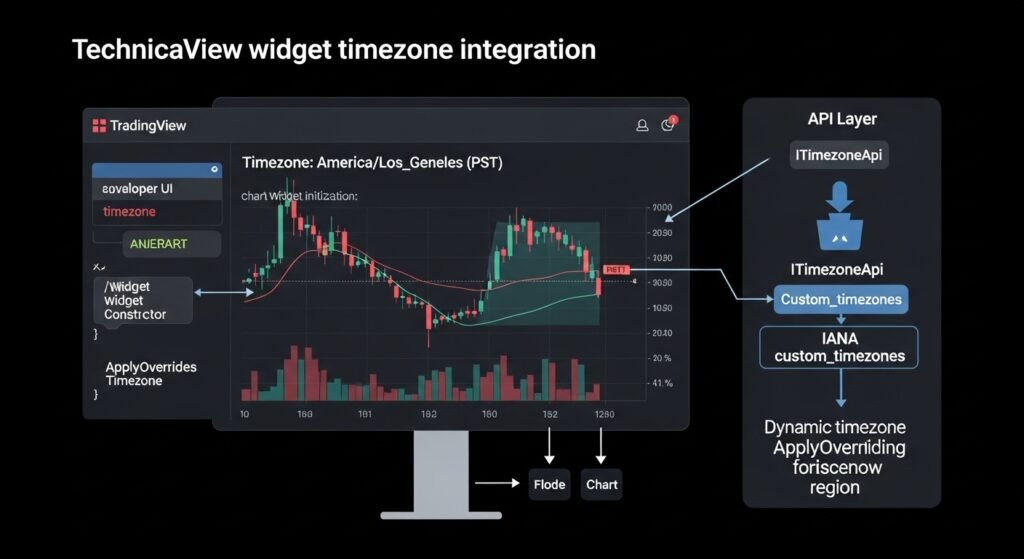
The Widget Constructor is the primary mechanism for setting the default timezone of an embedded chart. By specifying the timezone property within the constructor object, a developer can force the chart to initialize in PST, regardless of the user’s browser settings.16 This is particularly useful for localized financial portals catering to a West Coast audience. The IANA string America/Los_Angeles is the standard identifier used for this purpose, providing a robust solution that accounts for the historical nuances of time in the region.9
Furthermore, the applyOverrides method allows for dynamic adjustments on the fly. If a user on a web platform selects a different region from a custom-built menu, the application can push that change to the TradingView widget without requiring a full page refresh. This level of responsiveness is a hallmark of professional-grade financial interfaces and contributes significantly to the overall easy read ability of the dashboard.16
Beyond simple offsets, the TradingView API provides an ITimezoneApi interface, which gives developers granular control over supported timezones. In cases where a specific regional offset is not natively supported by the library, developers can utilize the custom_timezones property to map a new identifier to an existing IANA or GMT-based offset.16 This ensures that even the most niche geographic requirements can be met while maintaining the platform’s rigorous standards for data alignment and session transitions.8
Pine Script Logic: Coding with Temporal Precision
For the quantitative analyst and the strategy developer, the timezone setting is more than a visual overlay; it is a variable that must be accounted for in the underlying logic of indicators and automated strategies. Pine Script, TradingView’s domain-specific language, provides a robust set of functions for handling time, yet it operates under a strict hierarchy that prioritizes “Exchange Time” for internal calculations.9
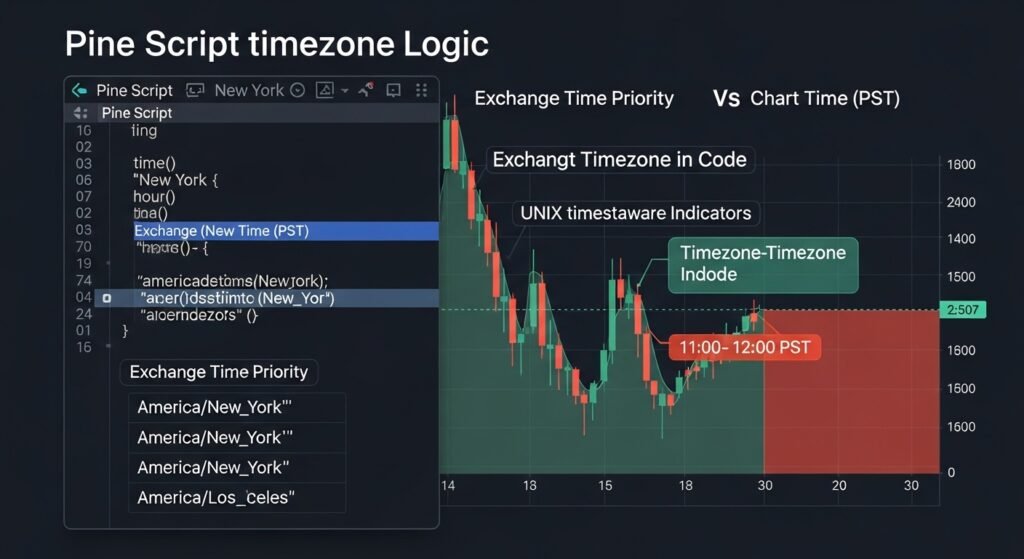
The native time format in Pine Script is the UNIX timestamp, representing the absolute number of milliseconds elapsed since the beginning of 1970.9 This value is UTC-based and independent of the chart’s timezone settings. When a script uses functions like hour, dayofweek, or time, it defaults to the exchange’s local time unless a specific timezone string is provided as an argument.9
For a developer creating a strategy designed to trade the opening range of the New York session from a PST perspective, the code must be explicit. Using the string "America/New_York" within a time() function ensures that the logic triggers at 9:30 AM Eastern, regardless of the user’s chart being set to PST.9 Conversely, if a script is intended to highlight “lunchtime” for a West Coast trader, the developer might use the following logic to anchor the session to PST:
Pine Script
// Example Pine Script for session highlighting in PST
pst_session = time(timeframe.period, "1100-1200", "America/Los_Angeles")
bgcolor(pst_session? color.new(color.blue, 90) : na)
This approach allows for the creation of indicators that are “timezone aware,” significantly improving the easy read ability of custom tools by aligning them with the user’s actual schedule.9 A critical insight for developers is that while scripts cannot access the visual timezone setting of the chart, they can provide a string input that allows the user to manually select their timezone, thereby synchronizing the script’s logic with the chart’s axis.9
Cross-Platform Synchronization: Mobile and Tablet Considerations
In an environment where trading workflows are increasingly fragmented across multiple devices, the synchronization of timezone settings between the desktop, web, and mobile versions of TradingView is a fundamental requirement. The mobile application, available on both iOS and Android, mirrors the logic of the desktop version but optimizes the navigation for touch-based interfaces.20
To adjust the timezone on the TradingView mobile app, a user must load a specific chart and access the “Settings” icon, typically found in the bottom-right corner.21 Within the chart settings menu, scrolling down reveals the “Timezone” option, which allows the user to select their desired region, such as “Los Angeles” or “Vancouver”.21 Because TradingView utilizes cloud-saved layouts, a change made on the desktop version will generally sync to the mobile version, provided the user is logged into the same account and has enabled autosave features.7
However, professional traders must be aware of potential discrepancies in alert notifications. While the chart axis on mobile will reflect PST if configured, the timestamps for alerts and push notifications are often tethered to the operating system’s local time.23 If a trader’s smartphone is set to a different timezone than their TradingView chart, the alert log and the pop-up notification may show different times for the same event.23 This emphasizes the importance of maintaining systemic consistency across all layers of the trading stack to preserve the integrity of the information and ensure easy read ability under pressure.2
The Backtesting Dilemma: Local Time vs. Exchange Time
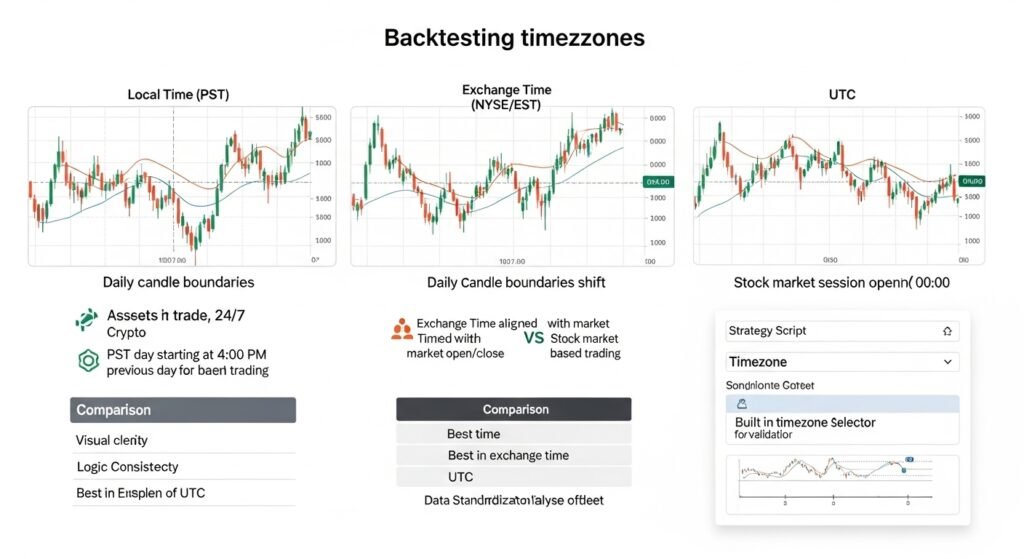
One of the more nuanced challenges in technical analysis is the role of timezones in historical backtesting. When developing a strategy on TradingView, the choice of timezone can have a subtle but measurable impact on the interpretation of daily and weekly candles, particularly for assets that trade 24 hours a day, such as cryptocurrencies or Forex.3
The “Exchange Time” represents the official clock of the marketplace. For the NYSE, a daily candle represents the price action from the opening bell to the closing bell in New York. If a trader shifts their chart to PST, the daily candle still represents that same EST-based period, but the axis labels shift.9 For 24/7 markets, however, the “Daily Open” is often tied to 00:00 UTC.3 If a trader in PST uses a local timezone for backtesting a daily-open breakout strategy, they might find that their “Day” starts at 4:00 PM PST of the previous calendar day.3
The consensus among professional quant analysts is that while local time is superior for visual execution (easy read ability), the exchange time or UTC should be utilized for the standardized collection and analysis of historical data.24 Standardizing backtest datasets to UTC allows for consistency across different brokers and data providers, who may have different local “server times” depending on their primary headquarters.24
| Backtesting Variable | Local Time (PST) | Exchange/Broker Time | UTC (Coordinated Universal) |
| Daily Candle Open | Varies by asset. | Fixed to exchange hours. | 00:00 (Standard for Crypto). |
| Visual Recognition | High; aligns with life. | Low; requires mental math. | Neutral; professional standard. |
| Logic Consistency | Risky for session-based. | High for traditional equity. | Highest for global cross-asset. |
| Execution Sync | Best for manual entry. | Best for institutional FIX. | Best for automated bots. |
A sophisticated strategy developer on TradingView will often build a “timezone converter” directly into their script, allowing them to verify results across multiple offsets.27 This ensures that a strategy that appears profitable in PST is not merely benefiting from a localized data anomaly or a misaligned session boundary.17
Troubleshooting and Systemic Optimization: Ensuring Precision
A perfectly configured timezone is only as effective as the underlying system’s reliability. TradingView users frequently encounter technical hurdles that can disrupt the temporal accuracy of their charts, ranging from simple browser cache issues to complex network latency problems known as “bufferbloat.”
Managing the “Bufferbloat” and Network Latency
For traders on the Pacific Coast, the 6:30 AM PST market open is a period of intense data transmission. During these high-volatility events, many users report “lagging” or “stuttering” charts where price updates seem to arrive in irregular bursts.22 This is often not a hardware problem but a Quality of Service (QoS) issue at the router level. Bufferbloat occurs when the router stores too many packets in its buffer, causing a delay in the delivery of real-time price updates.22
The technical solution for this involves accessing the router’s administration panel (typically via an IP like 192.168.1.1) and prioritizing the trading workstation.22 By assigning the computer’s MAC address to “Highest” or “Real-Time” priority, the trader ensures that time-sensitive market data skips the buffer, maintaining a perfectly synchronized x-axis that is “fast as hell” during the crucial opening minutes.22
Browser Maintenance and Data Integrity
The web-based nature of TradingView makes it susceptible to browser-related conflicts. Over time, corrupted cache data or outdated cookies can interfere with how the platform renders time scales and indicator values.29 If a chart displays “missing candlesticks” or “frozen prices” despite a stable internet connection, the primary troubleshooting step is to clear the browser’s cache or utilize a dedicated trading browser like Chrome or a customized TradingView desktop app, which provides better resource management.22
For mobile users, particularly on Android, ensuring that the “Android System WebView” is updated is critical for the smooth rendering of charts.29 Additionally, force-restarting the app and clearing its local cache can resolve issues where the timezone settings seem to reset or fail to synchronize with the cloud.7
Addressing Data Discrepancies between Timeframes
A common point of confusion is when OHLC (Open, High, Low, Close) prices do not seem to align between different timeframes, such as a 5-minute chart and a Daily chart.30 This is often caused by a misunderstanding of how the platform “cuts” candles at the end of a session. If the timezone is set incorrectly, a 4-hour candle might close at a different time than a daily candle, leading to a visual discrepancy in the closing price.30 Ensuring that the “Exchange” timezone is understood and the “SET” (Session/Exchange/Timezone) button in the bottom-right corner is properly configured is essential for maintaining data integrity across all intervals.5
The Cognitive Science of Easy Read Ability in Professional Trading
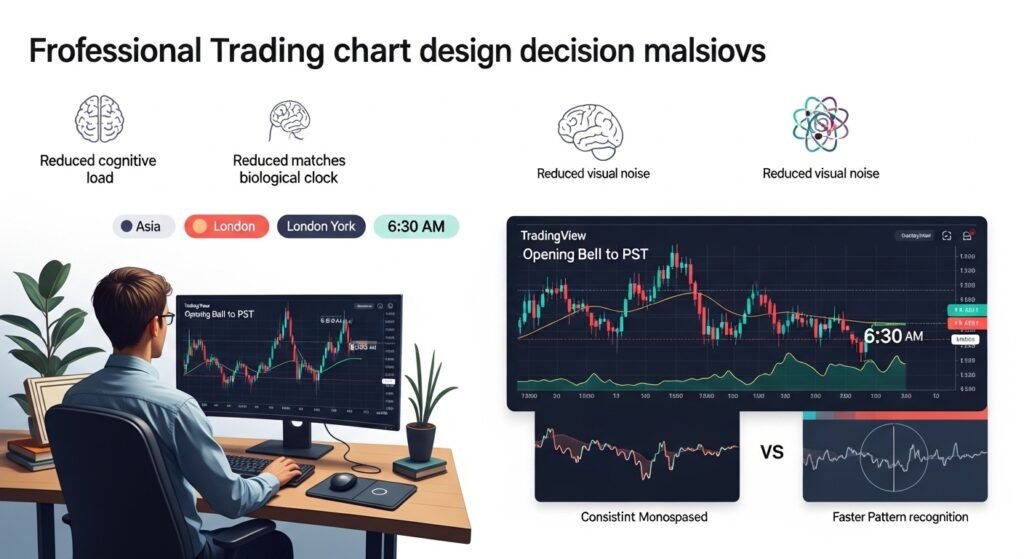
The term “easy read ability” is not merely an SEO keyword; it is a fundamental principle of human-computer interaction in high-stakes environments. The human brain, particularly when under the stress of financial risk, is optimized for rapid pattern recognition rather than complex analytical calculation. By shifting the TradingView environment to PST, a trader is effectively “offloading” a cognitive task to the software, freeing up mental bandwidth for more critical functions like risk assessment and strategy execution.2
A study of professional charting setups reveals that the most effective environments are those that minimize “visual noise.” This includes:
- Temporal Alignment: Ensuring the x-axis matches the trader’s biological clock.1
- Color-Coded Sessions: Using indicators to visually separate the Asian, London, and New York sessions, allowing for instant recognition of market context.25
- Consistent Formatting: Utilizing font families (such as monospaced) that prevent “flickering” or “jumping” numbers during high volatility, ensuring that prices are always legible.19
- Logical Layouts: Organizing indicators and drawings in a way that respects the “top-to-bottom” reading habits of the human eye.5
The integration of PST into this framework is the final step in creating a “flow state” environment. When a trader looks at a chart at 6:30 AM PST and sees the “Opening Bell” candle, the brain instinctively understands the significance without needing to process the “9:30 AM EST” conversion. This reduction in “translation latency” is a subtle but powerful edge in a market where seconds can represent significant financial outcomes.2
Adhering to Global Standards: E-E-A-T and the Ethics of Financial Information
The dissemination of financial tutorials and technical analysis requires a commitment to the highest standards of Experience, Expertise, Authoritativeness, and Trustworthiness (E-E-A-T). Because financial content is classified as “Your Money or Your Life” (YMYL), the accuracy of information regarding market hours, timezone settings, and data integrity is paramount.32
A trustworthy resource on how to make TradingView time PST must go beyond a simple “how-to” and provide the broader context of why these settings matter. This involves:
- Original Reporting: Drawing from first-hand experience in the markets to identify the subtle risks of timezone misalignment during backtesting.32
- Citing Reputable Sources: Referencing official exchange schedules and TradingView’s own technical documentation to verify every claim.4
- Maintaining Freshness: Regularly updating information to account for changes in DST legislation or TradingView UI updates.34
- Transparency: Clearly disclosing the author’s background and the fact-checking processes involved in creating the content.33
By adhering to these principles, the financial journalist or analyst ensures that their audience is not only informed but protected from the misinformation that often clutters the retail trading space. The goal is to empower the trader with tools and knowledge that are as robust as the markets they navigate.
Synthesis and Strategic Outlook: The Future of Temporal Analysis
As we look toward the future of financial technology, the management of time is becoming increasingly automated and decentralized. The rise of 24/7 “Overnight Sessions” for traditional equities and the continued growth of the cryptocurrency market are pushing TradingView to evolve its temporal architecture. We are likely to see a shift toward even more granular control, perhaps allowing for “multi-timezone” views on a single chart or more advanced AI-driven session detection that accounts for localized holidays and exchange-specific disruptions.8
For the professional operating in PST, the current toolset provided by TradingView is exceptionally powerful if utilized correctly. The transition from a passive user to a master of the platform’s temporal settings involves a holistic understanding of the visual, technical, and psychological layers of time management.
Key Professional Takeaways for PST Integration
- Primary Configuration: Use the Chart Settings > Symbol > Timezone menu to set the IANA string
America/Los_Angelesfor consistent local alignment.1 - Visual Redundancy: Utilize session-highlighting indicators to maintain a high-visibility awareness of the New York and London session boundaries.25
- Network Optimization: Implement QoS prioritization on the trading router to ensure x-axis precision during the 6:30 AM PST market open.22
- Coding Discipline: Always specify timezones in Pine Script functions to prevent “Exchange Time” defaults from skewing strategy logic.9
- Backtesting Standard: Use UTC or Exchange Time for historical data collection while reserving PST for visual analysis to avoid session misalignment.3
In conclusion, the quest for easy read ability in the trading environment is a journey of refining the interface to match the human experience. By mastering the nuances of how to make TradingView time PST, a trader on the Pacific Coast secures their foundation, ensuring that every glance at the screen provides a clear, accurate, and actionable reflection of the global financial pulse. This technical mastery, combined with a disciplined approach to risk and strategy, represents the pinnacle of modern technical analysis.
FAQ’s
No. Changing the timezone only shifts the visual labels on the x-axis. The underlying price data and timestamps remain based on exchange time or UTC. Candle highs, lows, opens, and closes are not altered—only how time is displayed to the user.
For manual and discretionary trading, Pacific Time (America/Los_Angeles) is best because it aligns charts with the trader’s real-world schedule. This improves reaction speed and reduces cognitive load during high-volatility sessions like the market open at 6:30 AM PST.
For professional backtesting, Exchange Time or UTC is recommended because it keeps session boundaries consistent across brokers and datasets. PST is better suited for visual analysis and live execution, not for historical statistical testing.
Most cryptocurrency exchanges define the daily open at 00:00 UTC. When converted to Pacific Time, that becomes 4:00 PM or 5:00 PM depending on DST. This is normal and does not mean your chart is incorrect.
No. Pine Script cannot read the chart’s UI timezone. All time functions default to exchange time unless the developer explicitly defines a timezone string like "America/Los_Angeles" or "America/New_York" inside the code.